Coming soon · Apple Silicon Macs first
Anime, straightaight from your terminal.
Browse, search and binge without ever opening a browser. Zero ads. And what's cooler than watching anime from your terminal? NOTHING.
No accounts. No ads. No tracking. Just one email when it's ready.
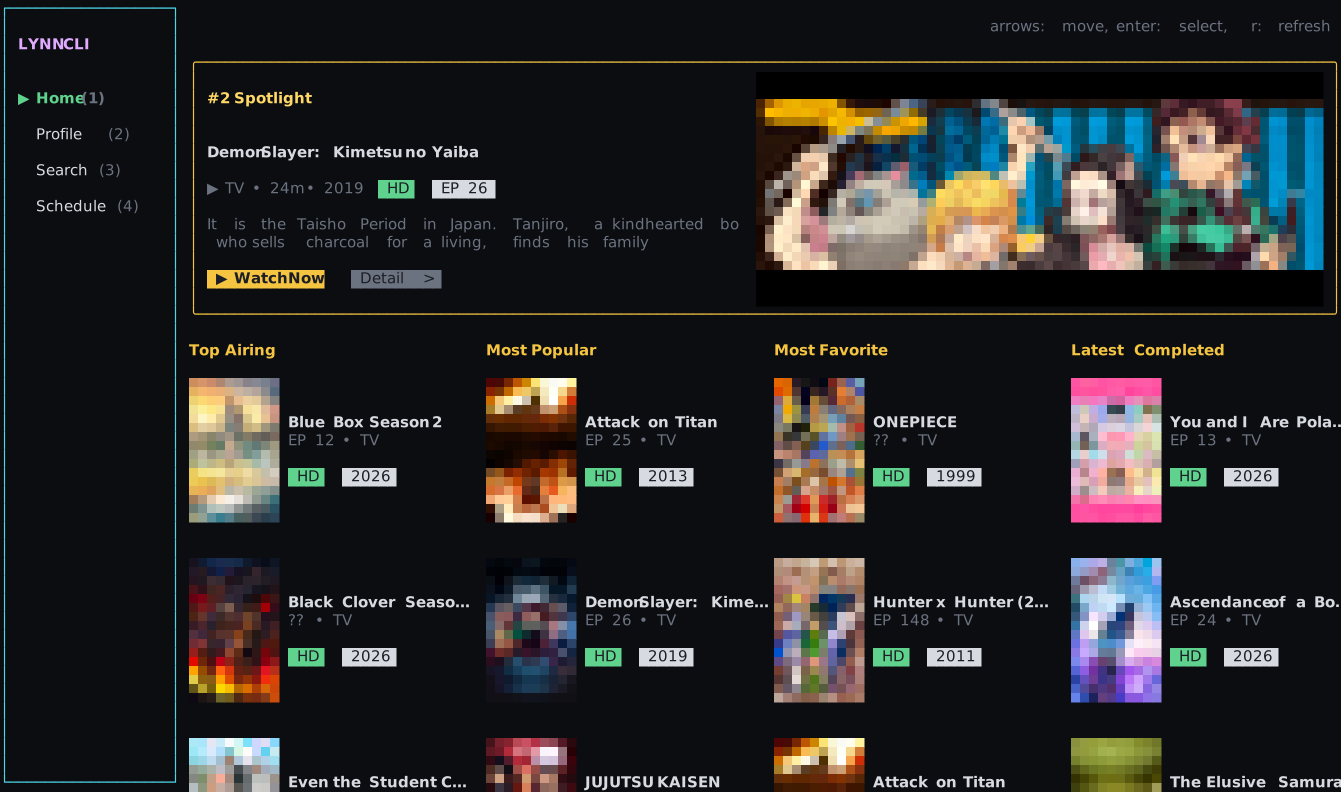
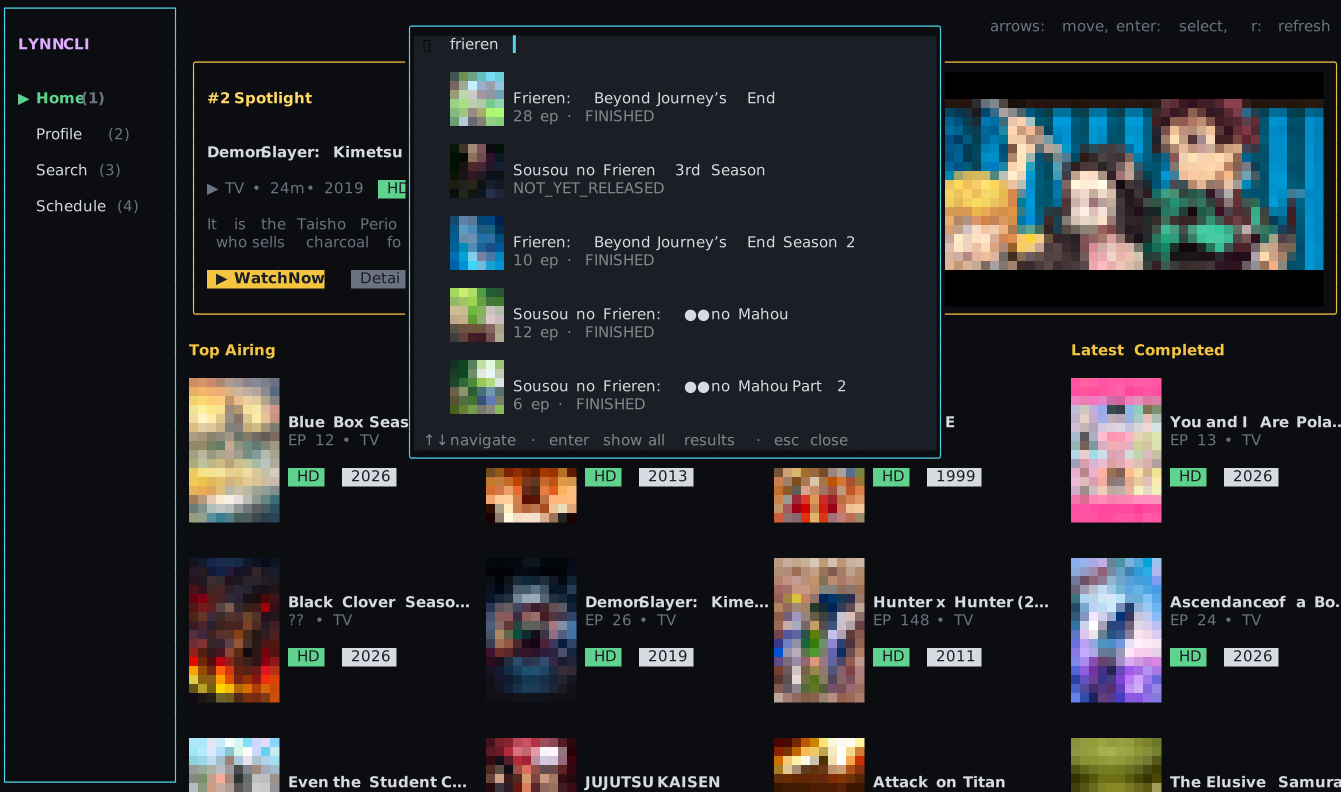
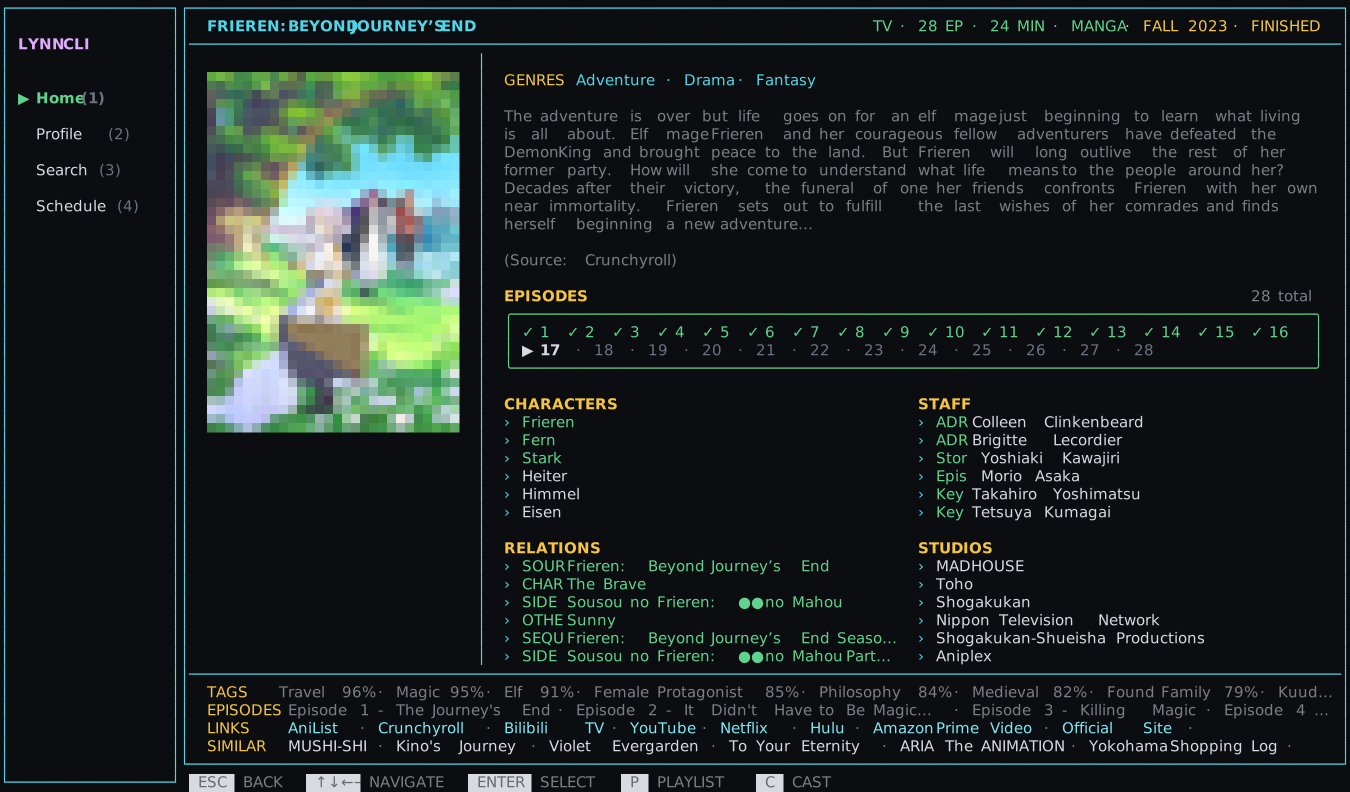
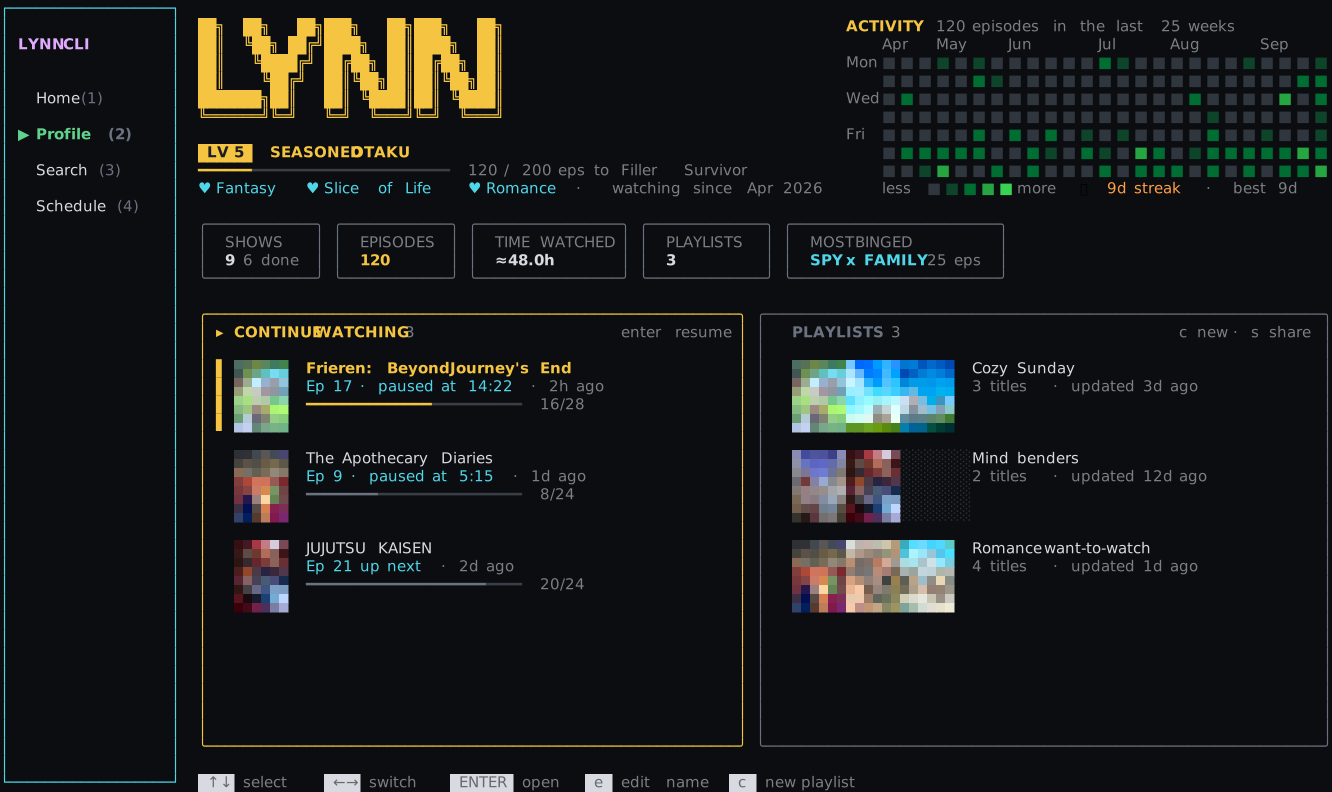
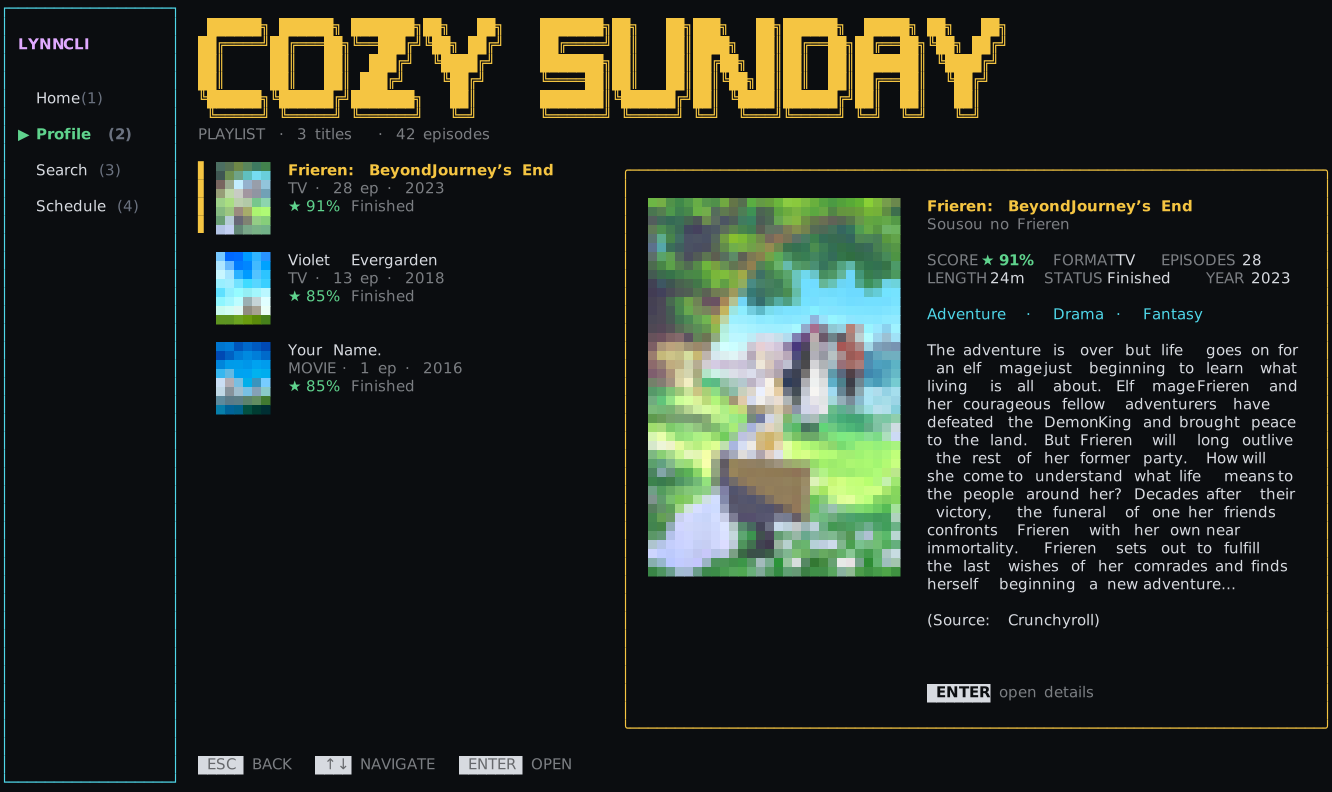
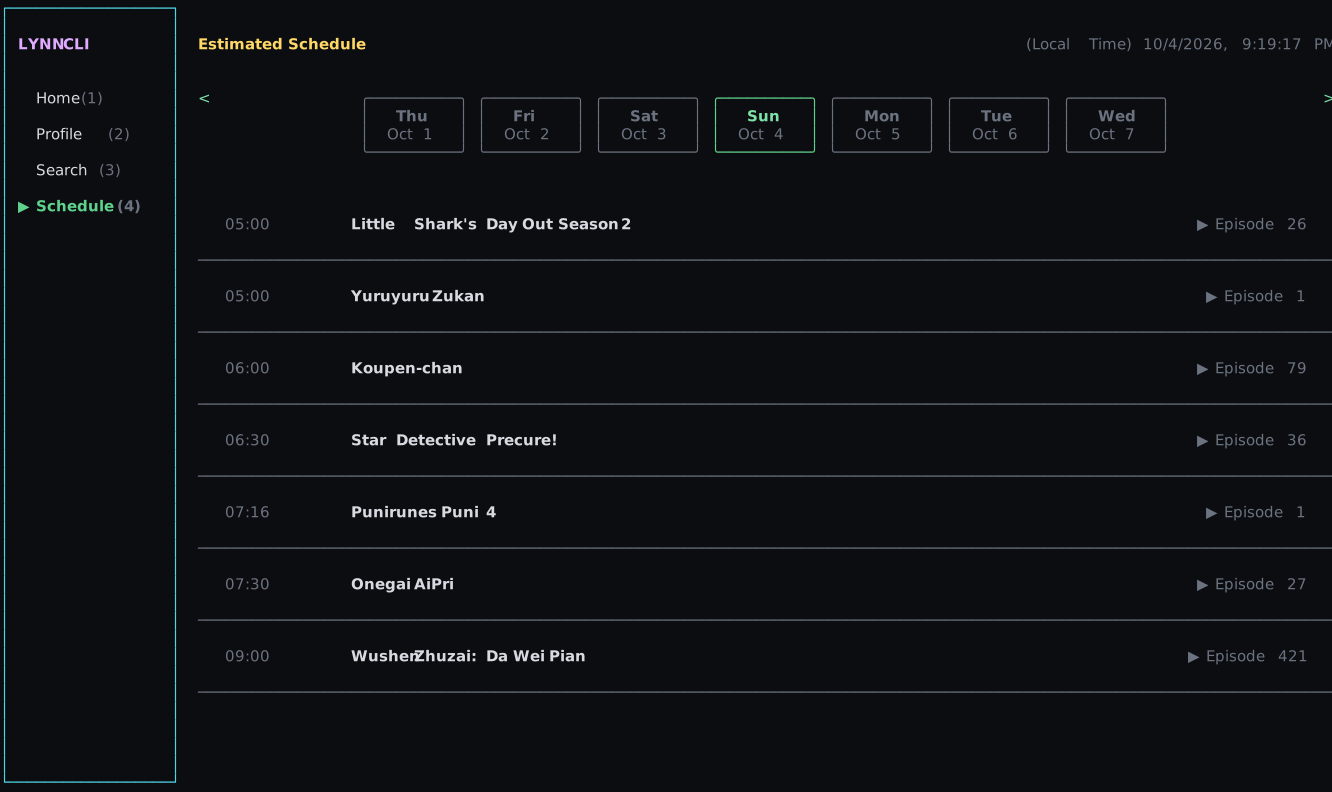
Real screens from the app — every pixel of cover art is a terminal character.
What's in the box?
Everything runs locally on your machine. Nothing gets between you and the next episode. Run local, browse free, get popcorn. That's the whole idea.
Why terminal?
Built for the terminal, on purpose.
Streaming sites are heavy by design: tabs, trackers, pop-ups and ads that pay for their servers. LYNN skips all of it. It runs on your machine, fetches what you ask for, and hands the stream to the player you already trust.
01
Nothing between you and the show
One command and you're browsing. No browser tab, no cookie banner, no autoplay trailer fighting for your attention.
$ lynn-cli
02
Nothing to sell you
No accounts, no ads, no trackers. Your history, progress and playlists live in one file on your computer.
~/.local/share/lynn-cli/library.json
03
Your player, your keys
Episodes open in mpv, IINA or VLC, with your shortcuts and your subtitle settings, not a web player's.
→ mpv · iina · vlc
Details
Everything about a show, one screen.
Synopsis, score, studios, characters, staff, related seasons and recommendations. The episode grid remembers what you've watched, so the next one is always one keypress away.
- ›✓ marks for every finished episode
- ›Jump between seasons and sequels
- ›P adds to a playlist, C casts, W watches
Profile
Level up while you binge.
Every episode counts. Climb from Fresh Spawn to Isekai'd, keep your streak alive on a GitHub-style activity grid, and see what you've binged most.
- ›Eight ranks with a progress bar to the next
- ›Activity heatmap and streaks
- ›Continue watching, right where you paused
Playlists
Collections worth sharing.
Scroll your list on the left, read about the selected show on the right. Share any playlist as a lynn:playlist: code and your friends can import it in one line.
- ›Big, readable titles
- ›Covers, scores and synopsis side by side
- ›lynn-cli import <code>
Schedule
Know what airs today.
A week-at-a-glance airing schedule in your local time zone, so you never miss the new episode.
- ›Local time, every day of the week
- ›Episode numbers at a glance
Cast to phone
Leave the desk. Keep watching.
Press C on any show. Scan the code. The episode plays in Safari or Chrome on your phone, and your terminal shows what's playing.

scan with your camera
📱 CASTING TO 172.20.10.1
Frieren: Beyond Journey's End
progress saves automatically · Q QR · ESC stop
Frieren: Beyond Journey's End
Episode 17
“A thousand years from now, I'll still remember.”
- 1Press C
LYNN starts a tiny server on your laptop and shows a QR code.
- 2Scan
Same Wi-Fi, or your phone's hotspot. No app to install.
- 3Watch
Prev, next and auto-advance on the phone. Progress syncs back to the terminal.
Under the hood
No browser. No binaries. Just Node.
01
Looks like Chrome
Requests carry a Chrome TLS and HTTP/2 fingerprint from inside Node, so there are no patched curl builds to install or break on Apple Silicon.
0 curl-impersonate
02
Unwraps the stream
Search, episode list, server list, embed page, a base64 + XOR config, then the HLS playlist. Your player gets the stream, subtitles and referrer.
6 requests · 3 hosts
03
Proxies for your phone
When casting, the laptop rewrites every playlist and pipes each segment, so the phone only ever talks to your own machine.
local HLS proxy
Your player
IINA, mpv or VLC, detected automatically.
Your data
One JSON file in ~/.local/share/lynn-cli. Nothing leaves your machine.
Your metadata
AniList's public API for titles, art and schedules.
Early access
Be first in line.
LYNN opens on Apple Silicon Macs first, installed with one Homebrew command. Tell us what you're on and we'll let you know when it's your turn.
FAQ
Questions, answered.
Do I need an account?+
No. There's nothing to sign up for. Your profile, history and playlists live in a single file on your computer.
Which players work?+
IINA, mpv and VLC. LYNN finds whichever you have. With mpv or IINA it also tracks your exact position so you can resume later.
Does casting work without Wi-Fi?+
Yes. Join your laptop to your phone's hotspot and scan the code. Safari and Chrome on iPhone are both supported.
Is my IP shown in the QR code?+
Only a private local address like 172.20.10.2. It can't be reached from the internet, and the cast server shuts down when you stop or after 15 idle minutes.
When can I get it?+
Apple Silicon Macs first, through Homebrew. Intel Macs, Linux and Windows follow. Join the waitlist and pick your platform so we know where to go next.
Will it cost anything?+
No. LYNN is free.